jcode is built to be as performant and resource efficient as possible. Every metric is optimized to the bone, which is important for scaling multi-session workflows. The video and graphs below sample a few metrics to show the difference: boot up, first input, and memory scaling.
jcode performance demonstration
Time to first frame
Measured on this Linux machine across 10 interactive PTY launches.
Tool
Time
Graph
Comparison
jcode
14.0 ms
baseline
Antigravity CLI
383.5 ms
27.4× slower
pi
590.7 ms
42.2× slower
Codex CLI
882.8 ms
63.1× slower
OpenCode
1035.9 ms
74.0× slower
GitHub Copilot CLI
1518.6 ms
108.5× slower
Cursor Agent
1949.7 ms
139.3× slower
Claude Code
3436.9 ms
245.5× slower
Time to first input
(time until typed probe text appears on the rendered screen; Antigravity uses its internal input-ready log marker because the sign-in screen suppresses probe echo.)
Tool
Time
Graph
Comparison
jcode
48.7 ms
baseline
Antigravity CLI
383.7 ms
7.9× slower
pi
596.4 ms
12.2× slower
Codex CLI
905.8 ms
18.6× slower
OpenCode
1047.9 ms
21.5× slower
GitHub Copilot CLI
1583.4 ms
32.5× slower
Cursor Agent
1978.7 ms
40.6× slower
Claude Code
3512.8 ms
72.2× slower
Additional clients / memory scaling
Tool
Extra PSS
Graph
Comparison
jcode (local embedding off)
~9.9 MB
baseline
jcode
~10.4 MB
1.1× more RAM
Codex CLI
~21.6 MB
2.2× more RAM
pi
~76.5 MB
7.7× more RAM
Antigravity CLI
~86.4 MB
8.7× more RAM
Cursor Agent
~157.5 MB
15.9× more RAM
GitHub Copilot CLI
~158.1 MB
16.0× more RAM
Claude Code
~212.7 MB
21.5× more RAM
OpenCode
~318.4 MB
32.2× more RAM
A lean prompt prefix
Everything sent before your first message is a fixed tax on every single request.
The system prompt and tool schemas are prepended to every turn, so their combined size is pure overhead on latency, cost, and context budget. We measured this directly: each agent was routed through a local proxy, and the actual request body it sends to the model was tokenized with the cl100k tokenizer (system prompt + tool definitions, captured live on this machine). Jcode sends the smallest prefix of the three, despite exposing the most tools.
Agent
Prefix tokens
Graph
Comparison
jcode
10,269 (40 tools)
baseline
OpenCode
10,372 (13 tools)
1.0× larger
Claude Code
13,998 (9 tools)
1.36× larger
Jcode's edge is in the base prompt and schema density: its system prompt is 1,911 tokens versus Claude Code's 5,772, and it packs 40 tools into roughly the same token budget Claude Code spends on 9. Tools are advertised from a compact on-disk schema cache and the prompt cache stays warm, so you spend your context window on the work, not on boilerplate the model rereads every turn.
Memory that follows the work
A good built in memory system.
Jcode embeds each turn/response as a semantic vector. Every turn does queries a graph of memories to efficiently find related memory entries via a cosine similarity check. The embedding hits are fed into the conversation, or optionally uses a memory sideagent which verifies the memories are relevant, and potentially does more work for information retreival before injecting into the conversation. This results in a human like memory system which allows the agent to automatically recall relevant information to the conversation without actively calling memory tools or being a token burner.
jcode memory demonstration
UI for real terminal work
Side panels, diagrams, widgets, and rendering that respect the TUI.
The side panel is a place for auxiliary information. Tell your jcode agent to load a file into the side panel and see it update in real time, or tell your agent to write directly to the side panel, or use it as a diff viewer. The side panel (and chat) is able to render mermaid diagrams inline.
Side panel and mermaid rendering
Swarm and multi-session workflows
Stop using git worktrees, start using swarms.
Spawn two or more agents in the same repo, and they will automatically be managed by the server to allow native collaboration. When agent A edits a file that agent B has read (code shifting under its feet), the server notifies agent B. Agent B can ignore it if it is not relevant, or it can check the diff to make sure that it doesn't conflict. Each agent has messaging abilities, capable of DMing just one agent, broadcasting to all other agents hosted by the server, or just agents working in that repo. This allows you to spawn multiple sessions in the same repo, and have all conflicts automatically resolved.
jcode swarm demonstration
Background tasks that actually run in the background
Long-running work keeps going while the agent keeps thinking.
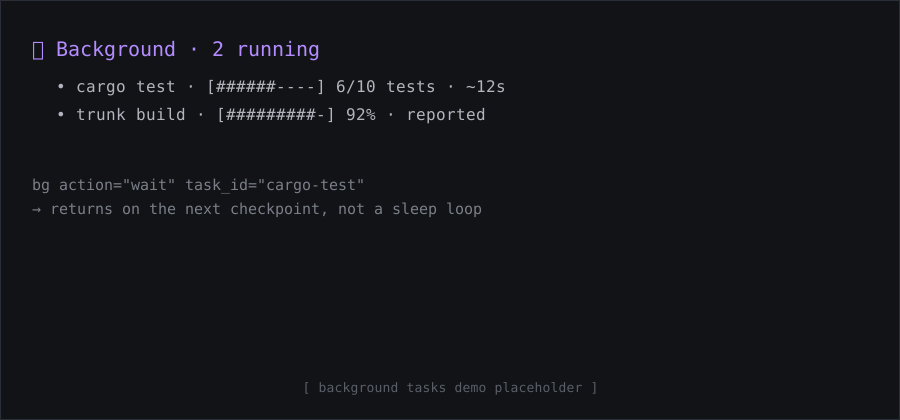
Most agents fake this. You ask them to watch a build or a test run, and they write a polling script: sleep 500, check once, give up. Jcode has a real suite of background tools instead. Start any command with run_in_background, and the agent gets a task it can list, tail, inspect, cancel, or wait on. The wait action blocks until the task finishes or hits its next progress checkpoint, so the agent is woken by real events instead of burning turns on sleep loops. A foreground command that outruns its timeout is never killed; it is automatically adopted into the background and keeps running, and it even survives the agent reloading its own binary. Tasks are written to be parseable, so jcode renders a live progress-bar card in the TUI: percent, counts like 6/10 tests, byte ratios, and ETA, pulled from structured JCODE_PROGRESS lines or inferred straight from ordinary output. The agent can run many of these at once and let the server tell it the moment something needs attention.
Background task progress card (placeholder)
KV cache that stays warm
Append-only context engineering keeps the model's KV cache hot turn after turn.
The single biggest lever on latency and cost is the prompt cache: providers charge a fraction for tokens the model has already seen, and reading them back is far faster than recomputing attention from scratch. Jcode is built so that cache almost never breaks. The prompt prefix is stable and the conversation is strictly append-only, so the longest possible shared prefix survives between turns instead of being silently invalidated. Things that would normally bust the cache are kept out of the prefix: tool schemas come from a fixed on-disk cache, MCP tools are advertised up front so a late connection never rewrites earlier turns, and dynamic context like memory recalls and system reminders are placed where they do the least damage. The result is consistently high cache-hit rates, lower bills, and noticeably snappier turns, especially on long sessions where naive agents pay to re-read the whole history every time.
Instant MCP, zero cache penalty
MCP tools are ready the moment a session starts, with no prompt-cache miss.
Most agents make you wait: they block startup while every MCP server handshakes, or they connect lazily and then quietly invalidate the model's prompt cache the first time a tool shows up, costing you a full re-read of the conversation. Jcode does neither. On startup it advertises every configured MCP tool instantly from an on-disk schema cache, so the model sees the complete tool list in its very first request and the prompt cache stays warm. The actual server connections happen in the background, connect-on-first-call: if the model reaches for an MCP tool before its server has finished connecting, that single call transparently waits for the handshake, while everything else stays non-blocking. The result is that you can start typing and the agent can start working the instant a session spawns, MCP tools included, with no startup delay and no cache penalty. This works the same across the interactive TUI, the server, and headless `jcode run`.
Customizable down to the harness
If the tool is missing a behavior, teach it.
Jcode is inventing a new form of customizability. One that doesn't limit you to what a plugin or extension can do. Tell your jcode agent to enter self dev mode, and it will start modifying its own source code. Jcode is optimized to iterate on itself. There is significant infrastructure around self developement, which allows it to edit, build, and test its own source code, then reload its own binary and continue work in your (potentially many) sessions, fully automatically.
 macOS
macOS Linux
Linux Windows